How digital menu boards work
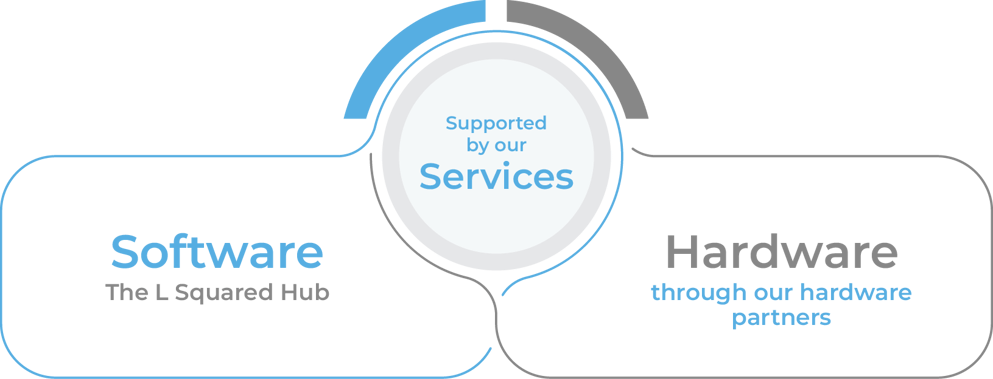
Every digital menu board system has three parts, and once you see them the buying decision gets much simpler.
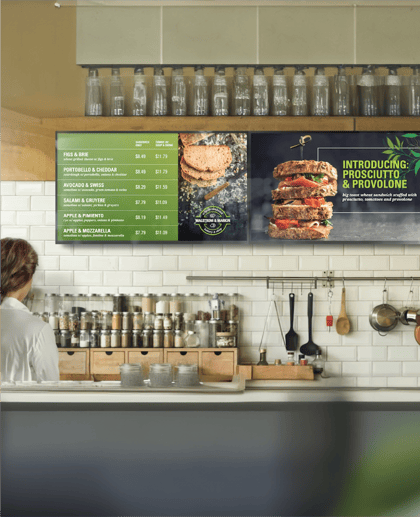
First, you build the menu in the software from a template or your own design, adding items, prices, photos, and calorie counts. Second, the software sends that menu over the internet to a media player behind each screen, or to a display with a player built in. Third, a schedule tells each screen what to show and when.
Setup happens once per location: mount the screen, connect the player to power and the internet, and pair it with the software. After that, menu changes happen at a desk instead of on a ladder with a fresh set of printed panels.
Because every screen reads from the same source, one update can reach a single store or every store in the chain. That is the real difference from print, since the menu is no longer a physical object someone has to replace.
Dayparting: digital menu boards that change themselves
Dayparting means the menu switches automatically by time of day, so breakfast runs until 10:30 a.m. and lunch takes over right after without a crew member touching a screen. A late-night menu, weekend brunch, or happy hour board works the same way, each with its own start and end times.
Operators usually feel this feature first, because on a printed board the breakfast panel either stays up all day or someone has to swap it at exactly the right minute. Limited-time offers can be scheduled the same way, with a start date and an end date so an expired promo never lingers on the board.
Updating prices across every location
Printed menus get expensive the moment prices change, because a 300-store chain raising the price of one combo has to reprint panels, ship them, and hope every store swaps them on time.
With digital menu boards, corporate pushes the new price once and it reaches every board in every location before the breakfast rush. Emailing PDFs to franchisees and waiting for each one to print stops being part of the process.
The same goes for the small changes that happen every shift. When an item sells out at lunch, a store manager can pull it from the board in a few clicks and put it back once the next delivery arrives, with no tape involved.
Speed only helps if the right people control it, so corporate locks the brand template, core menu, and national pricing while regional teams and store managers handle what is local. Permissions are scoped from brand to region to store, which lets a store add a community event or a store-only special without touching the national menu. For the wider view, see our guide to digital signage for restaurants.
Calorie and allergen requirements
Since May 7, 2018, the FDA has required restaurants and similar food businesses with 20 or more locations to show calorie counts on menus and menu boards. The board also needs a short statement about daily calorie needs and a note that more nutrition information is available on request.
Allergen information is not required on the board itself, but many operators show it anyway, and keeping either one accurate on print means a reprint every time a recipe changes. On digital menu boards, calories and allergen notes sit next to each item in the software, so one recipe update corrects every board in the chain.
Drive-thru and outdoor boards
Drive-thru lanes and window-facing counters are the hardest places to run a digital menu, because direct sunlight washes out an ordinary display. Screens facing windows or the outdoors need much higher brightness than indoor counter boards, and outdoor units need enclosures built for heat, cold, and rain.
Use commercial displays built for this job rather than consumer TVs, which are not designed for direct sun or long daily run times. Drive-thru boards also have the least time to work, since a driver scans the menu in seconds, so large type, fewer items per screen, and combo-first layouts help orders move faster.
Designing a menu board customers can read
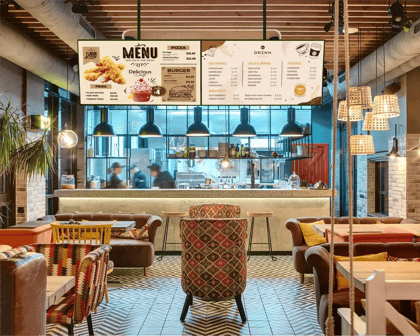
A digital menu board only works if people can read it from the back of the line. Keep fonts large and contrast high, limit how many items sit on one screen, and group items by category so the eye finds burgers, sides, and drinks without hunting.
Put your highest-margin items where eyes land first, and use motion sparingly, for a new item or a limited-time offer rather than the whole board. Photos sell food, but a board crowded with them is harder to scan than one with a few strong images.
Choosing hardware for digital menu boards
Commercial displays are built to run 16 to 24 hours a day, support portrait mounting, and carry commercial warranties that consumer TVs usually do not. Choose higher brightness for well-lit counters, and size each screen for the distance your customers actually stand from it.
L Squared runs on Samsung Tizen, LG webOS, Android, BrightSign, ChromeOS, Windows, Amazon Signage Stick, and Fire TV Stick, plus its own LP5 media player. That range gives most chains a path that fits the screens they already have or plan to buy.
Hardware is a one-time spend on displays, players, mounts, and installation, while software is ongoing and runs about $8 to $35 per screen per month across vendors' published pricing. Our breakdown of digital menu board cost walks through both, line by line.
Digital menu boards with L Squared
L Squared Hub is the cloud software behind the screens, and it covers digital and interactive menu boards, drive-thru displays, nutrition and allergen display, and dayparting from one dashboard. Your team can start from templates or design inside the platform with Canva, and training takes about an hour.
For IT, L Squared holds ISO 27001:2022 and SOC 2 Type II certifications, follows GDPR, and encrypts data with AES-256. An independent third party runs penetration tests twice a year, and SSO, MFA, and role-based access control protect every login.
Every plan includes 24/7/365 help from live support agents, and pricing is published, with Professional at $15 per screen per month and Enterprise quoted to your requirements. See pricing for plan details, or learn how the full L Squared digital signage solution works beyond the menu board. To compare platforms side by side, read our roundup of the best digital menu board software for restaurants.