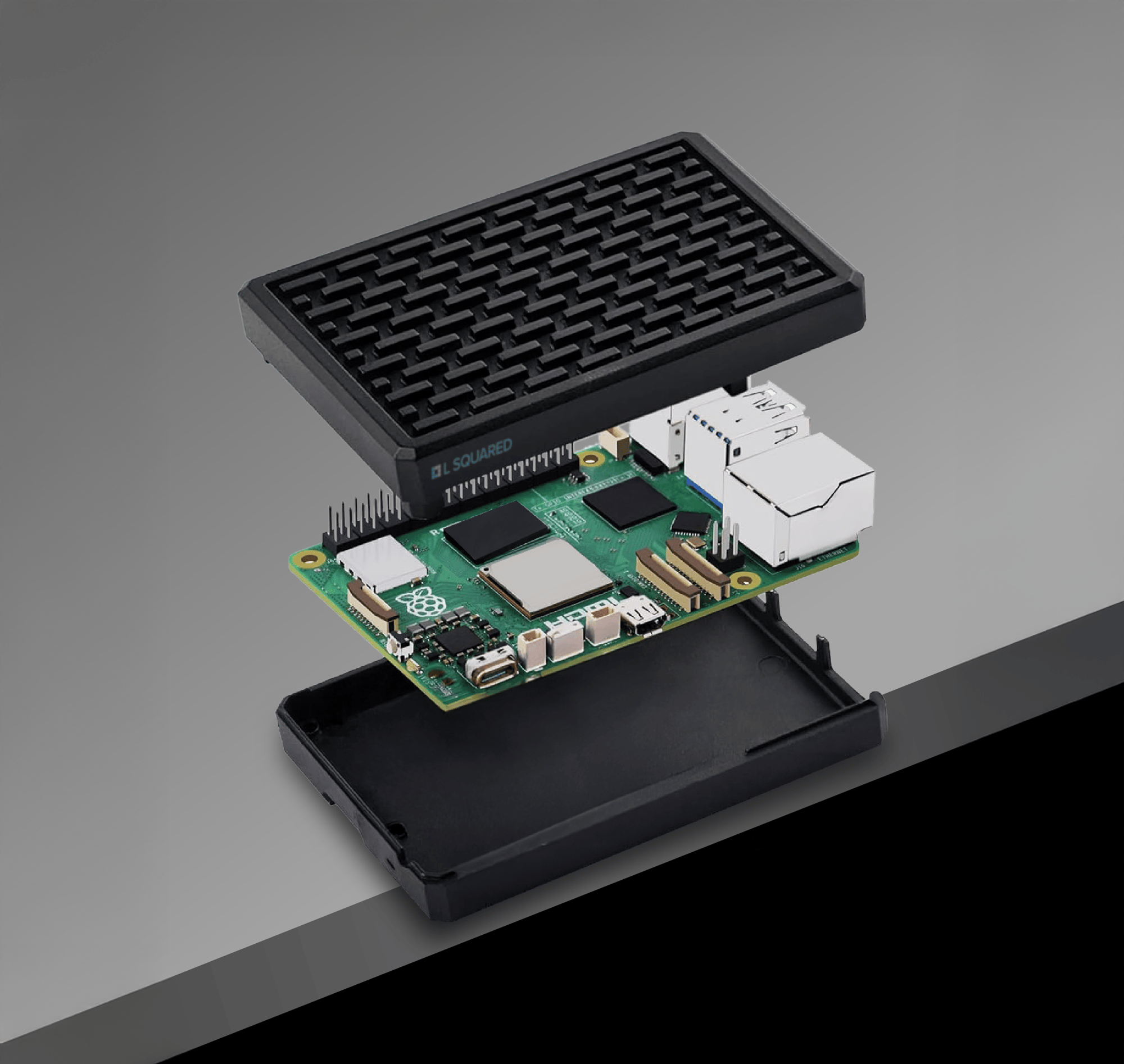
Raspberry Pi Digital Signage - Backed by L Squared Expertise

Get a secure, high-quality digital signage setup with the LP5 Digital Signage Player.
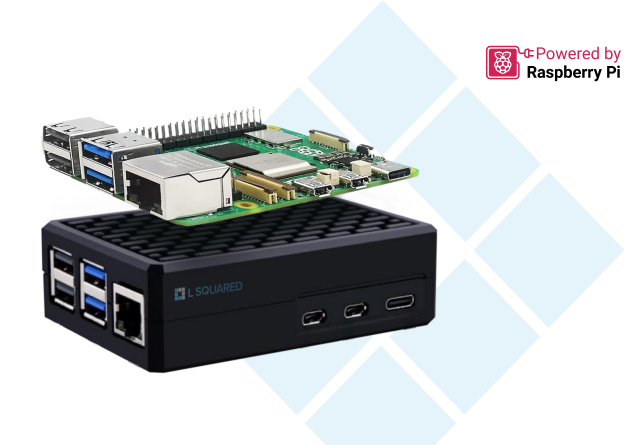
Rasp Pi Board

Powerful Digital Signage that fits in your pocket (literally)

Cloud-enabled signage, real-time displays, multi-frame layouts - get all the features of the L Squared Hub in its smallest form factor yet.

Raspberry Pi Media Player

Three simple steps to digital signage success

  • 1. Mount and Connect
    Place the LP5 Media Player in a convenient spot behind your screen or in tight spaces. Its compact design makes the setup discreet and flexible for any display environment.
  • 2. Plug and Play
    Simply connect the LP5 to power and Ethernet or set up Wi-Fi in three clicks—no technical expertise needed to get the device up and running.
  • 3. Out of Box Ready
    With a pre-configured app, the LP5 Media Player is set for immediate registration on the L Squared hub, allowing users to display content without additional setup.
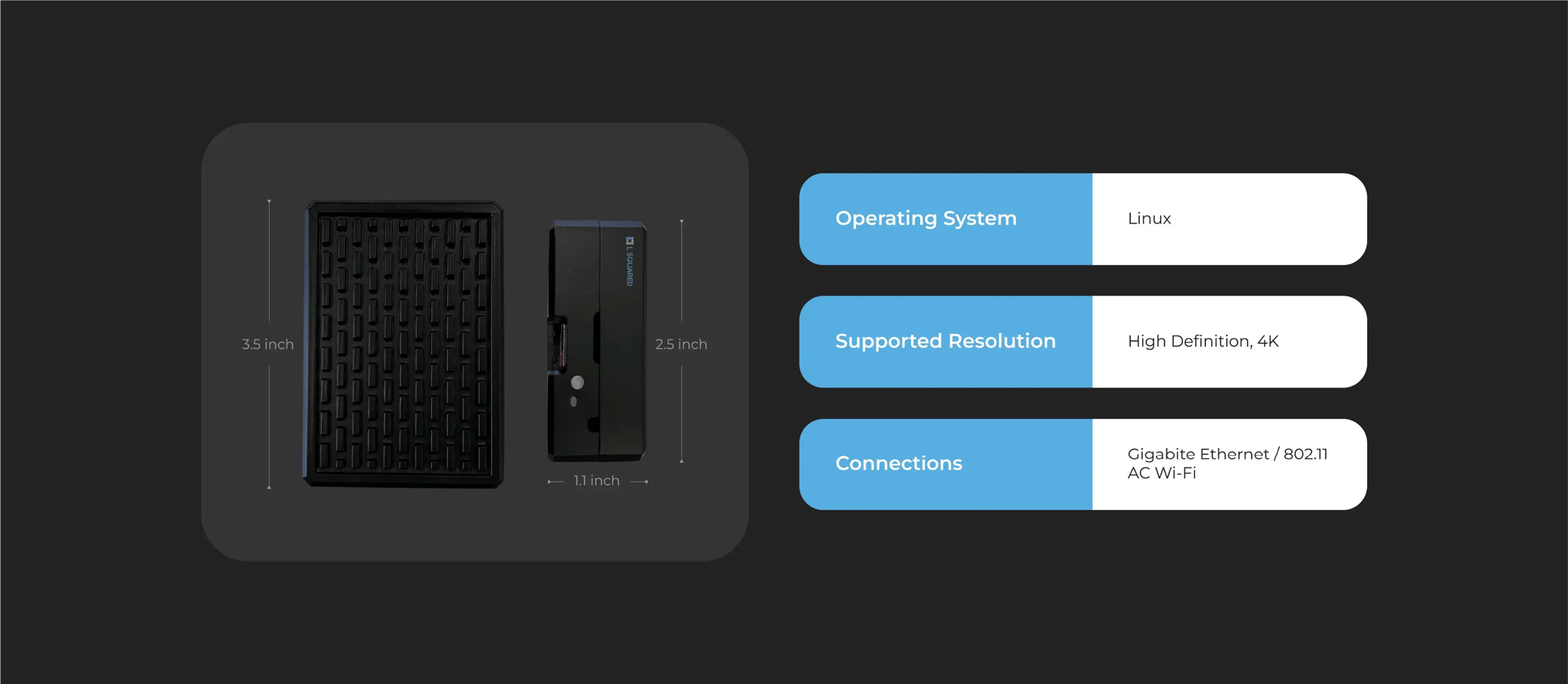
Product Specifications

The LP5 Media Player from L Squared delivers powerful performance in a compact design. With a Broadcom A76 2.4GHz CPU, and 64GB high-endurance storage, it delivers smooth, high-quality content display, ensuring crisp visuals and seamless playback

Raspberry Pi Product Image

Frequently Asked Questions

  • Can I use a Raspberry Pi for digital signage?
    Yes, Raspberry Pi digital signage is an excellent choice due to its high-definition output. L Squared collaborates with Raspberry Pi to deliver secure, efficient, and cost-effective solutions with advanced features like remote management and robust security.
  • What is a digital signage TV?
    A digital signage TV is a commercial-grade display built to run for long hours in public or business settings. It is usually brighter than a consumer TV and comes with a longer commercial warranty. Many have a built-in media player, such as Samsung Tizen or LG webOS models, so they can run digital signage software without a separate device.
  • What hardware does L Squared support for playback?
    L Squared offers an intuitive content management system compatible with diverse hardware. Now supporting Raspberry Pi digital signage, L Squared provides a high-performance solution enabling seamless full HD content display, remote access, and reliable security for varied industries.
  • Which Raspberry Pi does L Squared support?
    L Squared supports the Raspberry Pi 5. With a 2x-3x increase in CPU performance and significant GPU improvements, the Raspberry Pi 5 brings enhanced processing power and graphics capabilities. L Squared expands its capabilities with Raspberry Pi digital signage which is well-suited for advanced projects requiring faster networking capabilities and higher performance.
  • What is the best operating system for digital signage?
    The best operating system for digital signage should be secure, reliable, lightweight, and optimized for performance. It should support easy remote management and provide stable playback. The new LP5 media player integrates Raspberry Pi OS and is backed by L Squared’s expertise to meet all these requirements—offering advanced security and functionality for a wide range of digital signage applications.
  • What is a digital signage player?
    A digital signage player is a small computer that connects to a screen, usually over HDMI. It downloads content from digital signage software and plays it on a schedule. It stores content locally and reports back to the software, so screens can be updated and checked remotely.
  • How do you turn a TV into digital signage?
    To turn a TV into digital signage, connect a digital signage media player to the TV's HDMI port, or install a signage app if it is a supported smart TV. Then connect the player to the internet, pair it with your digital signage software, and assign content and a schedule. Set the TV to turn on automatically after a power outage, and turn off any screen-saver or sleep settings.
  • Can you use a Raspberry Pi for digital signage?
    Yes. A Raspberry Pi is a popular digital signage player because it is small, low-cost, and uses little power. The Raspberry Pi 5 can drive 4K displays. It needs digital signage software to schedule and manage content, plus high-endurance storage, because standard microSD cards can wear out under constant use.
  • Can you use a Fire TV Stick or Chromecast for digital signage?
    Consumer streaming sticks can run some digital signage apps, but they are designed for home use. They may sleep, show system pop-ups, or install updates in the middle of a broadcast, and they offer limited remote management. Amazon sells a separate Fire TV Signage Stick for business use. For screens that must run all day, a dedicated media player is more reliable.
  • What is the best operating system for digital signage?
    There is no single best operating system for digital signage. Android, Samsung Tizen, LG webOS, Linux-based systems such as Raspberry Pi OS, BrightSign OS, and Windows are all common. For screens that run unattended all day, a locked-down, purpose-built system is usually more stable and secure than a general desktop operating system. Windows is better suited to interactive or software-heavy setups.
  • How do you set up a digital signage player?
    To set up a digital signage player, mount it behind or near the screen, connect it to the screen with HDMI, then to power and the network. Register it in your digital signage software, and assign it to a screen group and a schedule. Most modern players can be set up in under an hour without on-site IT help.
  • Does a digital signage player work without internet?
    Yes, most digital signage players keep working without internet. They store scheduled content on local storage and keep playing it if the network drops. New content and schedule changes are downloaded once the connection returns.
  • 1. Accordion Title
    Default Text

L Squared x Raspberry Pi 5: Ready to Perform, Built to Last, Designed to Secure