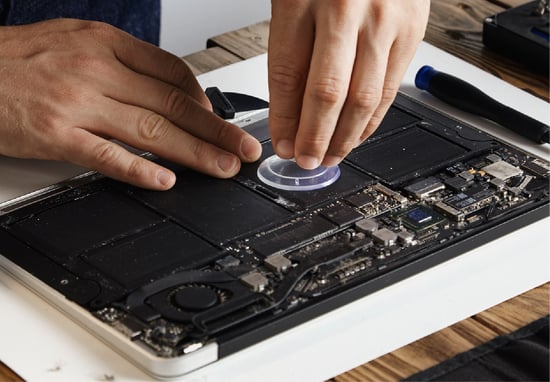
To an IT security team, a digital signage player isn't a display screen. It is a compact endpoint computer holding an IP address, mounted behind a display in a lobby or retail floor, and connected directly to the corporate network.
If you deploy dozens or hundreds of these endpoints on a flat network alongside point-of-sale terminals, local servers, and corporate workstations, you expand your network's internal attack surface. The solution is straightforward network hygiene: isolate the hardware on a dedicated network segment, restrict communication to outbound traffic destined for the content management platform, and deploy hardware that is hardened at the operating system level.
Core Takeaways
Segment the Fleet: Isolate digital signage players on their own Virtual Local Area Network (VLAN) to separate media traffic from corporate data.
Enforce Outbound-Only Rules: Restrict players to outbound connections toward the content platform. Block all inbound traffic and eliminate routing paths back into corporate systems.
Harden the Endpoint: Use operating systems configured with a minimal attack surface, disabled unnecessary services, and active host-based firewalls to contain localized device compromises.
Demand Documentation: Require vendors to supply an audited Network Requirements Document detailing exact ports, protocols, and destination domains.
Traffic Flow for Isolated Signage Networks
A secure digital signage deployment relies on strict traffic boundaries. Communication should originate strictly from the player moving outward to the cloud platform, never inbound from the internet or laterally toward internal servers.
How signage traffic is separated
Your corporate network
POS, servers, workstations
Signage network (isolated VLAN)
Hardened LP5 players
Outbound HTTPS only
L Squared cloud
Players only send data out to the L Squared cloud. Nothing passes between signage and your corporate network.
Players establish outbound connections to the cloud platform over secure web protocols. There is no routing path from the signage VLAN into the corporate network, and external systems cannot initiate connections inbound to the media players.
Why Media Players Require Intentional Network Architecture
The risk associated with a media player rarely involves the visual content on the screen. The primary concern is the physical endpoint connected to your network.
At scale, an enterprise network may host hundreds of small-form-factor PCs or single-board computers across distributed facilities. These devices are frequently installed by third-party audio-visual integrators rather than internal IT operations, creating specific operational challenges:
- Unmonitored Endpoints: Secondary hardware deployed outside central IT management often lacks standard endpoint detection, making lateral movement easier if a device is breached.
- Lateral Exposure on Flat Networks: On an unsegmented network, a compromise on a single media player allows traffic to reach high-value internal systems.
- Inconsistent Patching Routines: Devices installed without structured maintenance schedules tend to run outdated firmware, leaving documented vulnerabilities unaddressed.
- Compliance Scope Creep: Unsegmented hardware brings the entire physical deployment into scope during SOC 2, PCI-DSS, or internal security audits, needlessly complicating verification.
Addressing these issues does not require complex security overhead. It requires establishing standard network controls around the hardware from day one.
Steps to Isolate Digital Signage Endpoints
Effective network separation uses a combination of network-level controls and device-level hardening to prevent a media player from becoming an internal entry point.
1. Implement Network Segmentation (VLANs)
Assign all media players to a dedicated VLAN or subnet isolated from core operational systems. Network-level isolation is the most effective control to limit blast radius and contain potential security events.
2. Restrict Traffic to Outbound Connections
Cloud-managed media players require access to specific platform destinations to pull media assets and operational instructions. Configure firewall rules to allow outbound connections exclusively to the required Fully Qualified Domain Names (FQDNs) and ports, blocking all other destination routes.
3. Block All Inbound Communications
A properly architected cloud signage platform uses a polling or persistent outbound WebSocket mechanism. The player reaches out to the server for updates. Because the server never needs to initiate a direct connection to the hardware, all inbound network ports should remain permanently closed.
4. Deploy Hardened Operating Systems
Select media players running custom, stripped-down operating systems. Disabling unneeded networking daemons, removing extraneous software packages, and enforcing on-device firewall policies ensures the endpoint remains resilient even if exposed to local network traffic.
5. Encrypt Data in Transit
Ensure all communication between the media player and the cloud CMS occurs over encrypted channels using TLS 1.3 or AES-256 encryption. Devices must authenticate using cryptographic keys or secure tokens to verify they are communicating with the legitimate platform.
6. Maintain Patching Schedules and Subnet Monitoring
Include the signage VLAN in standard network monitoring tools. Maintain a structured schedule for deploying OS-level patches and firmware updates to ensure the hardware remains compliant with corporate security baselines.
What to Require From a Digital Signage Vendor
Securing a signage network requires clear boundaries between internal infrastructure and vendor design. While your internal network team configures firewall rules and subnets, the vendor must supply hardware engineered to operate inside those constraints.
Before approving a platform, require the vendor to provide:
- A Network Requirements Document: A complete list specifying required outbound FQDNs, IP ranges, transport protocols, and port numbers (such as HTTPS Port 443).
- Inbound Access Confirmation: Written verification that the system operates without requiring open inbound ports, port forwarding, or public static IP addresses.
- Hardware Hardening Specifications: Technical documentation detailing the player's OS build, default security configurations, running services, and local firewall parameters.
- Patch Management Strategy: Clear details on how firmware upgrades and security patches are delivered, validated, and applied across distributed fleets.
- Independent Security Verifications: Third-party audit documentation, including SOC 2 Type II reports and ISO 27001 certifications, confirming that operational controls are independently verified.
Enterprise Isolation Standards with L Squared
L Squared designs digital signage software specifically to sit within enterprise security boundaries without requiring network workarounds.
The LP5 media player runs on a hardened OS build with a custom security profile, disabled unnecessary background processes, and a local host firewall pre-configured before shipment. It connects outbound to L Squared Hub over encrypted, authenticated channels, requiring zero inbound network access or public IP assignments. This architecture allows IT teams to drop the LP5 cleanly onto an isolated VLAN while closing off all surrounding corporate traffic paths.
From a compliance perspective, L Squared Hub maintains ISO 27001:2022 certification and undergoes regular SOC 2 Type II audits. Platform access is governed by enterprise Single Sign-On (SSO), Multi-Factor Authentication (MFA), and granular role-based access controls (RBAC), while media assets are secured using AES-256 encryption.
When network engineering teams require technical clarifications during deployment, L Squared provides direct access to senior technical personnel through 24/7/365 live human support included across all enterprise plans.
Request the LP5 network requirements and hardening documentation for your security review.
Talk to L SquaredFrequently Asked Questions
How do you keep digital signage players off the corporate network?
Place media players on a dedicated VLAN separate from corporate infrastructure, and configure firewall rules to permit outbound traffic to the CMS host destinations only. Block all inbound connections and deny traffic routing between the signage segment and core business networks. Combining network isolation with OS-level hardware hardening ensures media devices remain fully contained.
Should digital signage be placed on its own VLAN?
Yes. Assigning digital signage to a dedicated VLAN is standard network architecture. It isolates signage traffic, prevents lateral movement across subnets in the event of an endpoint issue, and simplifies network audit scopes during corporate compliance reviews.
Do digital signage players require inbound network ports?
Cloud-managed media players built on modern architecture do not require inbound connections. The device initiates an outbound connection to the management server to fetch schedules, updates, and commands. Systems that require inbound internet access or port forwarding introduce unnecessary network exposure.
Can an unmanaged digital signage player pose a network risk?
Yes, if deployed on a flat network without proper isolation. Because a media player is a connected computer, an unpatched or unsegmented device can be used as an initial access point to scan and reach other network assets, network segmentation, outbound-only traffic policies, and regular patching eliminate this vector.
Which ports and connections does a digital signage player require?
Standard cloud media players generally require only outbound HTTPS traffic over Port 443 to reach specific vendor FQDNs. Your vendor should provide an explicit Network Requirements Document listing these parameters so network administrators can establish precise outbound firewall rules.
What security documentation should we request from a signage vendor?
Request a Network Requirements Document, written confirmation of outbound-only architecture, endpoint hardening specifications, and third-party compliance audits, such as a SOC 2 Type II report and ISO 27001 certification.
Summary
Protecting your internal infrastructure from secondary endpoint risks comes down to standard network hygiene. Isolating media players on a dedicated VLAN, enforcing strict outbound-only traffic policies, using hardened OS hardware, and verifying vendor compliance transforms an enterprise signage network into a low-maintenance, secure piece of operational infrastructure.

Gaurav Pandey
CTO at L Squared Digital
Gaurav Pandey is the Chief Technology Officer at L Squared Digital. He leads the platform's engineering, security, and compliance programs, including its SOC 2 Type II, ISO 27001:2022, and GDPR certifications.
LinkedIn