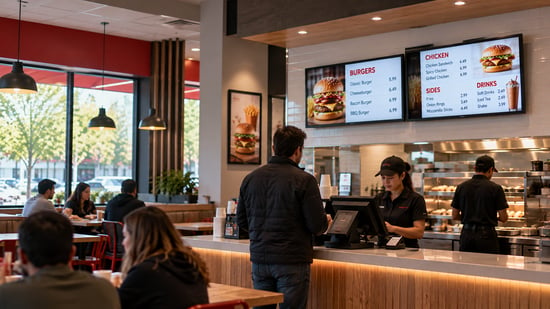
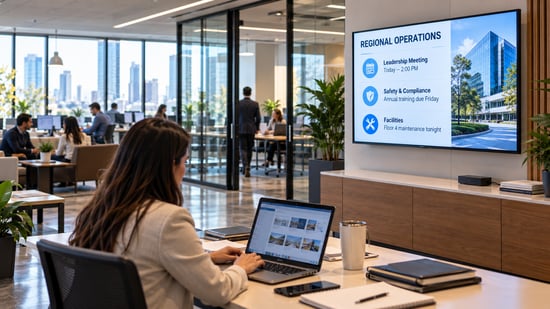
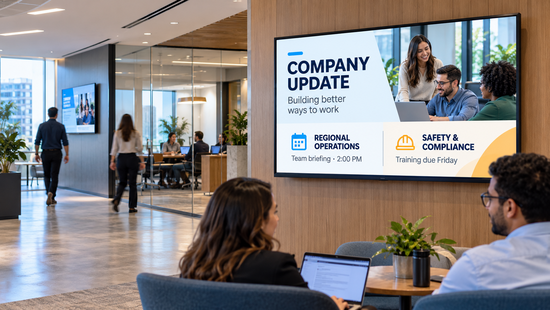
The best digital signage software in 2026 depends on how many locations you run and who answers the phone when a screen goes dark. For multi-location retail, QSR, manufacturing, corporate, and hospitality networks, L Squared is the pick: audited security, central control with local flexibility, and 24/7/365 human support on every paid plan. For a handful of screens on a tight budget, Yodeck. For a corporate intranet that also drives screens, Appspace. For an on-premise or hybrid mandate, Navori. For app-heavy small business deployments, OptiSigns or ScreenCloud. For K-12 schools, Rise Vision.
That is the short answer. The rest of this guide shows the work: how we compared the seven platforms, what each vendor actually publishes about price, security, and support, and where each one wins. We are L Squared, so we have a stake in the result. The way we handle that is to compare on things you can check yourself, and to say plainly where a competitor is the better fit.
Quick Takeaway
Best overall for multi-location enterprise: L Squared. Best budget: Yodeck. Best workplace suite: Appspace. Best on-premise and hybrid: Navori. Best for small business apps: OptiSigns, ScreenCloud. Best for K-12: Rise Vision.
We checked all seven vendors' public pricing and security pages on October 7, 2026. Only three publish both a SOC 2 Type II attestation and an ISO 27001 certificate. Only four publish a per-screen price for business buyers.
Support is the line item that quietly changes by tier. On several platforms, 24/7 help is an upgrade. Read the plan table, not the feature list.
Compare on deployment model, published price, independent security attestations, support terms, and multi-location governance. Let features break ties.
How we compared the platforms
Most "best digital signage software" lists are a feature inventory with a winner attached. A feature inventory does not tell you what the platform costs at 300 screens, whether an outside auditor has verified the security claims, or what happens at 11pm on a Saturday when the drive-thru board in Tulsa goes black. So we compared on five things a buyer can verify without a demo.
Deployment model, because an on-premise mandate from IT ends the conversation with cloud-only vendors. Published pricing, because a vendor that hides its price is asking you to spend a sales cycle to learn whether you can afford it. Independent security attestations, because "enterprise-grade security" is a phrase, and a SOC 2 Type II report or an ISO 27001 certificate is a document. Support terms, as written on the plan page, because support is where the people behind a platform show up or do not. And multi-location governance, because a national chain needs corporate to own the brand while each location handles what is local, and a tool that cannot do both will be worked around within a quarter.
Every row in the table below comes from the vendor's own public pricing or security page, checked on October 7, 2026. Where a vendor does not publish something, the table says so rather than guessing. Features and prices change, so confirm anything that matters before you sign. If you are new to the category, start with our guide to what digital signage software is and how it works.
Best digital signage software platforms in 2026, compared
| Platform | Deployment | Published business pricing | Published security attestations | Support, as published | Best for |
|---|---|---|---|---|---|
| L Squared | Cloud; on-premise available | $15 per screen per month (Professional); Enterprise by quote, customized to your requirements | SOC 2 Type II, ISO 27001:2022, GDPR; pen test twice a year; 100/100 SecurityScorecard | 24/7/365 live human support on every paid plan | Multi-location retail, QSR, manufacturing, corporate, hospitality |
| Appspace | Cloud | Not published; priced per user and per device | SOC 2 Type II (SOC 3 report public), ISO 27001, ISO 27017 | Support portal; support upgrades sold as add-ons | Corporate workplace suite: intranet, desks, visitors, screens |
| Navori | Cloud, on-premise, hybrid; perpetual or subscription | Not published; quote | SOC 2 Type I and II, ISO 27001 | Not detailed on pricing page | On-premise or hybrid mandates; computer-vision audience analytics |
| ScreenCloud | Cloud | $20 (Core) and $30 (Pro) per screen per month, billed annually; Enterprise by quote | SOC 2 Type II, Cyber Essentials | Premium support tier and success manager on Enterprise | Mid-market teams that want 80+ apps and a simple editor |
| Yodeck | Cloud | Free single screen; $8, $12, $16 per screen per month; Enterprise+ by quote | ISO 27001, ISO 9001; SOC 2 not published | 24/5 on Enterprise; 24/7 priority on Enterprise+ only | Budget deployments, single sites, small chains |
| OptiSigns | Cloud; on-premise or private cloud on Enterprise | $10 to $30 per screen per month; Enterprise $45 with a 25-screen minimum | SOC 2 Type II | Priority support and dedicated success manager on Enterprise | Small and mid-size teams that want 100+ apps and self-serve setup |
| Rise Vision | Cloud | Education pricing published ($11 per display per month and up); business by quote | SOC 2 Type II, WCAG A | Not detailed on pricing page | K-12 schools and districts; emergency alerts |
Sources: each vendor's public pricing and security pages, reviewed October 7, 2026. "Not published" means we could not find it on those pages, not that the vendor lacks it. Ask them.
What the table tells you that the feature lists do not
Three patterns stand out, and none of them appear on a vendor's feature page.
First, the security evidence thins out fast. Six of the seven platforms publish a SOC 2 Type II attestation. Four publish ISO 27001. Only three, L Squared, Appspace, and Navori, publish both. And on the pages we reviewed, none of the other six publish how often an independent firm tests their platform, or a continuous external security rating. L Squared publishes a twice-yearly penetration test and a 100 out of 100 SecurityScorecard rating. If your IT team runs a vendor security review, that difference is the difference between a two-week approval and a two-month one. The SSO and MFA comparison goes deeper on the access-control stack behind each platform.
Second, support is tiered more aggressively than price. Yodeck's plan page lists 24/5 support on Enterprise and reserves 24/7 priority support for Enterprise+. ScreenCloud and OptiSigns put their premium support and success managers on the top tier. That is a reasonable way to run a self-serve business. It is a poor fit for a 400-store network, because the store manager whose menu board failed at 10:05 on a Tuesday does not care which tier corporate bought. L Squared includes 24/7/365 live human support on every paid plan, and that is not a courtesy. It is the operating model for a platform sold to teams that run on uptime.
Third, the platforms that hide pricing are the ones selling something other than digital signage. Appspace prices per user and per device because it is a workplace suite, with intranet, desk booking, and visitor management alongside screens. Navori quotes because it sells perpetual licenses and hybrid deployments that do not fit a per-screen card. Neither is being evasive. Both are telling you, in the structure of their pricing, what kind of purchase this is.
The platforms, one by one
L Squared
L Squared Hub is a digital signage solution built for organizations that run screens across many locations and cannot afford for any of them to go quiet. Corporate holds the brand through templates and role-based access scoped to brand, region, and store. Local teams change what is theirs, like a price, a shift board, or a lobby welcome, without a ticket. The platform is SOC 2 Type II audited and ISO 27001:2022 certified, encrypts with AES-256, and is penetration tested by an independent firm twice a year. It runs in the cloud and is also available on-premise for networks that require it. Hardware is open: Samsung Tizen, LG webOS, Android, BrightSign, ChromeOS, Windows, and L Squared's own LP5 player with a hardened operating system and built-in firewall.
The people side is the part most comparisons skip. Every paid plan includes 24/7/365 live human support, and the platform is used by Five Guys, Domino's, The UPS Store, Tractor Supply, Intel, and Unilever. Where it is not the right choice: a single screen in a single shop. The governance that makes it work at 300 locations is more than one location needs, and a cheaper tool will serve that buyer well.
Best for: Multi-location retail, QSR, manufacturing, corporate, and hospitality networks where security review, brand-to-store governance, and round-the-clock human support decide the purchase.
Appspace
Appspace calls itself a workplace experience company, and that is the honest way to evaluate it. Screens are one of four products, next to an intranet, space reservation, and visitor management. For a corporate headquarters that wants one vendor for internal communications, hybrid-office logistics, and lobby displays, that bundle is a real advantage, and the identity integration is strong: SAML SSO, MFA, and SCIM provisioning through Microsoft Entra or Okta. It publishes ISO 27001, ISO 27017, and a public SOC 3 report. Pricing is per user and per device and is not published, which fits a suite but makes a screens-only budget hard to estimate. Retail, QSR, and franchise operations are not where it is built to win.
Best for: Corporate and hybrid workplaces that want digital signage inside a broader employee experience suite.
Navori
Navori is the platform to shortlist when IT says the content server stays inside the firewall. It offers cloud, self-hosted, and hybrid deployment, with perpetual licensing or subscription, which is rare in a category that has moved almost entirely to cloud subscriptions. It holds SOC 2 Type I and II and ISO 27001, and it leans hard into computer-vision audience analytics through its own players. It has a long record in retail and QSR. Pricing is by quote, and running a self-hosted backend means your team owns patching and uptime, which is the trade you are making for control.
Best for: Organizations with an on-premise or hybrid mandate, or a specific need for audience analytics at the screen.
ScreenCloud
ScreenCloud is the cleanest mid-market option in the group. Pricing is public, at $20 per screen per month on Core and $30 on Pro, billed annually, with 80+ apps and integrations and a well-regarded editor. It is SOC 2 Type II audited and Cyber Essentials certified, and it publishes a Service Level Agreement and a Data Processing Addendum. ISO 27001 is not published. Single sign-on, the premium support tier, and a customer success manager sit on the Enterprise plan, so the price you see on the card is not the price an enterprise pays.
Best for: Mid-market teams that want a polished, app-rich platform and do not need ISO 27001 or on-premise.
Yodeck
Yodeck is the price anchor for the entire category, and it earns it. One screen is free, paid plans run $8, $12, and $16 per screen per month, and it reports more than 350,000 screens under management. It is ISO 27001 and ISO 9001 certified, hosted on AWS, with SAML SSO and two-factor authentication on the Enterprise tier and encrypted player storage. A SOC 2 report is not published. Support is where the model shows: 24/5 on Enterprise, and 24/7 priority support only on Enterprise+. For a single site or a small chain with an in-house person who likes tinkering, it is hard to beat on cost. For a network where a dark screen is a revenue event, the support terms are the thing to read twice.
Best for: Budget-first deployments, single locations, and small chains.
OptiSigns
OptiSigns publishes the most granular pricing ladder of the seven: $10 Standard, $12.50 Pro, $15 Pro Plus, $30 Engage for interactive kiosks, and $45 Enterprise with a 25-screen minimum. It is SOC 2 Type II audited, encrypts at rest with AES-256, and offers an EU data region. Microsoft 365, Google Workspace, Power BI dashboards, and SAML SSO arrive at Pro Plus; on-premise or private cloud deployment, a dedicated success manager, and priority support arrive at Enterprise. It is a strong self-serve platform with 100+ apps. The ladder is the point: by the time a multi-location operation has the governance and support it needs, it is on the top rung.
Best for: Small and mid-size teams that want to set up their own screens with a large app library and grow into features tier by tier.
Rise Vision
Rise Vision is built for schools, and it says so on its pricing page: $11 per display per month on Basic, $138 per display per year on Advanced, and $164 per display per year or $1,399 per school per year with unlimited displays on Enterprise, all for K-12, higher education, and non-profits. Business and government pricing is by quote. It holds a SOC 2 Type II attestation and WCAG A compliance, and its enterprise tier adds SAML SSO, a content approval workflow, district-wide scheduling overrides, and classroom alerts. If you run a district, it is the specialist. If you run a restaurant chain, it is not aimed at you.
Best for: K-12 schools and districts that need emergency alerts and classroom-level control.
Best digital signage software by situation
A single coffee shop and a 400-store chain do not need the same tool, and the tool that is perfect for one is either overkill or a dead end for the other. Match the platform to the shape of the network, not to the longest feature list.
- One location, a few screens. Yodeck or OptiSigns. Pay per screen, set it up yourself, and do not buy enterprise governance you will never configure.
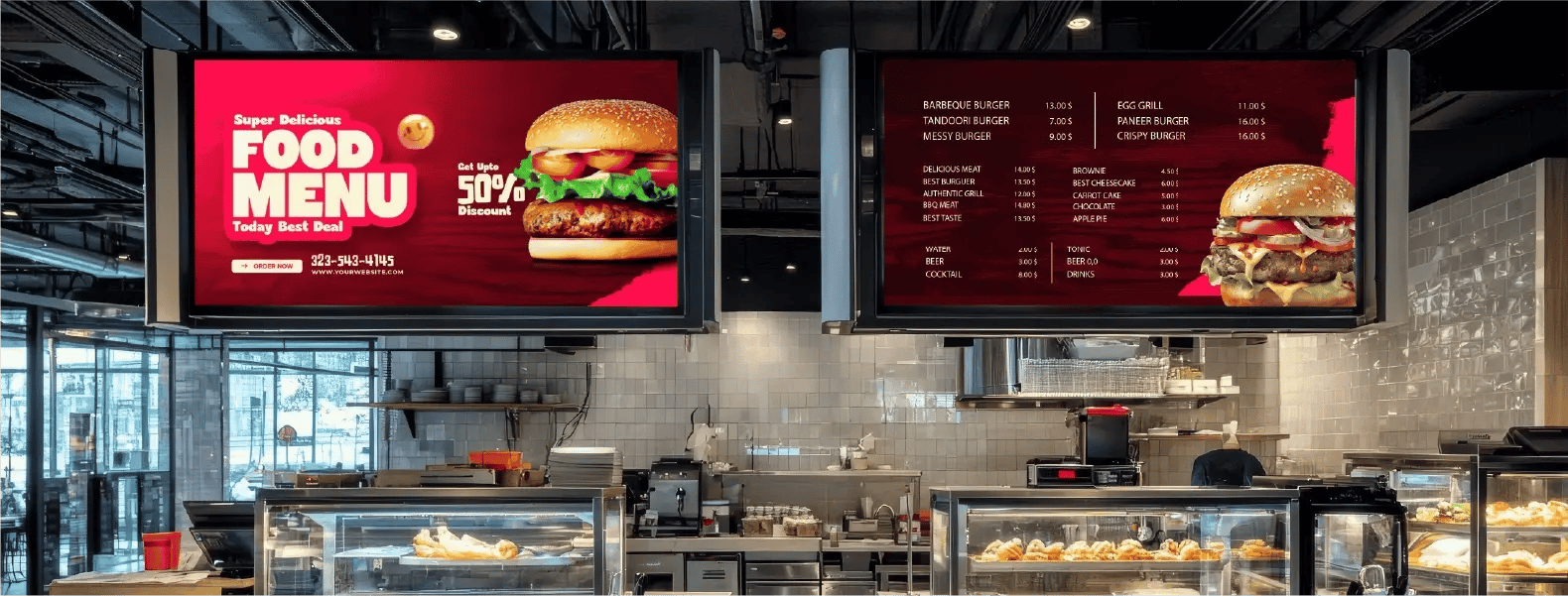
- Multi-location retail, QSR, or franchise. L Squared. Push a national promotion everywhere at 6am, let each store handle its own daypart, keep pricing accurate across every board, and have a human on the line when something breaks. Navori if the deployment must be on-premise.
- Manufacturing floors and distribution centers. L Squared. Production dashboards from Power BI, shift and safety boards, device health monitoring on hardware that lives in dust and heat. See the manufacturing digital signage guide for the use cases in detail. For a platform-by-platform view, see our comparison of the best digital signage software for manufacturing.
- Corporate headquarters and hybrid offices. Appspace if you want screens inside a workplace suite. L Squared if you want a digital signage platform that integrates with Microsoft 365, Teams, and SharePoint without buying the rest of a suite.
- Hospitality. L Squared for lobbies, meeting room placards, and multi-property control from one dashboard. ScreenCloud for a single property that wants a quick, polished setup.
- Schools and districts. Rise Vision.
Running more than a few locations? See how the L Squared digital signage solution handles central control with local flexibility.
See the platformWhat digital signage software actually costs
The published per-screen prices in this comparison run from $8 to $45 per month, and that spread is less informative than it looks. The $8 plan and the $45 plan are not the same product with a different sticker. One is a screen with a schedule. The other is a screen with single sign-on, an approval workflow, a success manager, and someone to call. The honest comparison is the tier your network actually needs, multiplied by your screen count, plus hardware, installation, content, and the hours your own team will spend keeping it running. On the self-serve platforms, that last line is the one that grows. For a step-by-step evaluation process, see the ultimate guide to digital signage software.
How to shortlist without buying off a demo
Demos are built to look good. Pick three platforms from the table above, score them against the five criteria, and cut anything that fails a fundamental no matter how strong the rest of its scorecard looks. Then put the shortlist on a handful of real screens in a real location for a few weeks, and have the people who will actually run it publish the content, not the vendor.
Watch the unglamorous things. How long a routine price change takes. What happens when a player drops offline on store Wi-Fi with real files, not the vendor's clean demo library. Who answers when you open a ticket at 9pm, and how long they take. Those answers predict your next three years better than any feature list. The platform that is boring to operate at ten screens is the one that will not fall apart at five hundred.
Frequently asked questions
What is the best digital signage software in 2026?
For multi-location enterprises in retail, QSR, manufacturing, corporate, and hospitality, L Squared, on the strength of audited security, brand-to-store governance, and 24/7/365 human support on every paid plan. For a few screens on a budget, Yodeck. For a corporate workplace suite, Appspace. For on-premise or hybrid deployment, Navori. For app-heavy small business setups, OptiSigns or ScreenCloud. For K-12 schools, Rise Vision.
How much does digital signage software cost per screen?
Published business pricing in this comparison runs from $8 per screen per month (Yodeck Basic) to $45 (OptiSigns Enterprise, 25-screen minimum), with ScreenCloud at $20 to $30 and L Squared at $15 on its Professional plan. Appspace and Navori quote. The license is only part of the total; add hardware, installation, content, and the staff time to run the system.
Which digital signage platforms are SOC 2 and ISO 27001 certified?
As of October 2026, L Squared, Appspace, and Navori publish both a SOC 2 Type II attestation and an ISO 27001 certificate. ScreenCloud, OptiSigns, and Rise Vision publish SOC 2 Type II without ISO 27001. Yodeck publishes ISO 27001 and ISO 9001 but not SOC 2. Ask any vendor for the report itself under NDA before you rely on the badge.
Is cloud or on-premise digital signage software better?
Cloud, for most buyers, because it is the only practical way to manage hundreds of screens, push updates instantly, and monitor device health without a truck roll. On-premise still fits organizations with data-residency rules or air-gapped sites. Navori, L Squared, and OptiSigns (on its Enterprise plan) offer on-premise or hybrid options; Appspace, ScreenCloud, Yodeck, and Rise Vision are cloud platforms.
Which digital signage software includes 24/7 support?
L Squared includes 24/7/365 live human support on every paid plan. Yodeck lists 24/5 support on Enterprise and 24/7 priority support on Enterprise+ only. ScreenCloud and OptiSigns place their premium support tiers on Enterprise. Appspace, Navori, and Rise Vision do not detail support hours on their pricing pages, so confirm the written terms before you sign.
What should a multi-location business look for in digital signage software?
Role-based access scoped to brand, region, and location so corporate controls the brand while each site manages what is local; independent security attestations your IT team can review; support terms in writing that do not change by tier; device health monitoring with alerts; and integrations with the systems you already run, such as POS, Power BI, and Microsoft 365. Score vendors on those five before you look at templates.
The bottom line
Yes, the feature lists matter, and the self-serve platforms in this comparison have built good ones. But a feature list is a description of the software. A SOC 2 report, a published price, and a support line that answers at 2am are descriptions of the company behind it, and that is what you are actually buying for the next five years.
If you run digital signage across many locations and want central control, local flexibility, and people who pick up when a screen goes dark, that is what we built L Squared to be. Tell us your footprint, and we will tell you straight whether we are the right fit.
Make it Visible.

Brent Nacu
CRO at L Squared Digital
Brent Nacu is the Chief Revenue Officer at L Squared Digital, with 20+ years in digital signage. He helps organizations build display strategies that improve engagement, streamline operations, and drive real results.
LinkedIn