The best enterprise digital signage software is not the one with the longest feature list. At a few screens, features win. Across hundreds or thousands of screens in dozens of locations, the decision is governance, security, uptime, identity, and support, and most "best software" lists never mention any of them.
This guide is written for the enterprise and multi-location buyer. It covers what actually changes at scale, the criteria that separate enterprise digital signage solutions from SMB tools wearing the label, and how the leading platforms hold up against them.
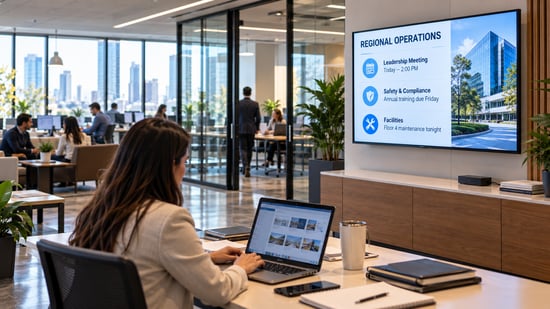
The stakes are rising with the category. Industry analysts project the digital signage market will grow from roughly $21 billion in 2026 to about $31 billion by 2032, and an estimated 80% of the global workforce is deskless: the frontline and hybrid staff that email and chat never reliably reach. At enterprise scale, a screen in a shared space is often the only channel that does. In practice, enterprises run KPI and production dashboards, company news, employee recognition, safety and emergency alerts, wayfinding, and meeting-room status across these displays.
The short version
At enterprise scale, judge platforms on governance, security attestations, uptime and support, and identity, not templates.
Enterprise-built platforms: L Squared, Appspace, Navori. Capable mid-market: ScreenCloud. Value and SMB: Yodeck, OptiSigns.
Nearly every serious platform now publishes SOC 2. The real separation has moved to the device: who controls the player and how locked down it is.
The SMB tools that top generic lists are built for single sites. They quietly break down at the governance layer around location fifty.
Why enterprise digital signage is a different problem
A single screen is a design task. A thousand screens across two hundred locations is an operations, security, and governance problem. Six things change the moment you scale, and they are the things generic lists skip.
- Two teams have to be happy, not one. Enterprise signage has to serve communicators in HR, comms, and operations who need to publish fast, and IT, who has to keep hundreds of networked devices secure and online. A tool that delights one and frustrates the other gets worked around within a quarter.
- Governance becomes the whole game. One wrong edit on one screen is a typo. The same edit pushed to 500 screens is a brand incident. Enterprise digital signage software has to let corporate lock the brand while local teams change only what is theirs.
- Security stops being optional. At enterprise scale, players sit on your corporate network, and IT runs a formal vendor review. "Enterprise-grade security" is a phrase; a SOC 2 Type II report and an ISO 27001 certificate are documents your security team can actually read.
- Uptime turns into money. A dark screen at one cafe is an annoyance. A dark drive-thru board, multiplied across hundreds of locations at lunch, is measurable lost revenue. Remote device management is also the quiet cost lever: every outage fixed from a dashboard is a truck roll you did not pay for.
- Identity has to scale. Provisioning a handful of users is manual. Provisioning thousands across regions needs SSO, enforced MFA, and ideally SCIM so access follows employment automatically.
- Cost is not the sticker price. A low per-screen rate times hundreds of screens, plus the staff hours a self-serve tool quietly demands, is the real number. The cheapest license is rarely the cheapest system.
The six criteria that actually separate enterprise platforms
Score any shortlist against these, in this order. Features break ties; they do not win the decision.
- Multi-location governance: role-based access scoped to brand, region, and location, plus template lockdown.
- Independent security attestations: SOC 2 Type II and ISO 27001, ideally with a published penetration-test cadence and an external rating.
- Support, as written: the hours and response times on the plan page, not the sales call, and whether 24/7 is standard or an upsell.
- Enterprise identity: SAML SSO, enforced MFA, and SCIM provisioning.
- Deployment fit: cloud, and on-premises or hybrid if IT mandates it.
- Reliability at scale: device-health monitoring, alerting, and cached local playback so a network blip does not black out a screen.
Enterprise digital signage software compared
Scored on the criteria that matter at scale, from each vendor's public pages as of October 2026.
| Platform | Best fit | Governance | Security | Support | Identity | Deployment |
|---|---|---|---|---|---|---|
| L Squared | Enterprise multi-location | RBAC brand/region/store + template lockdown | SOC 2 Type II + ISO 27001; pen test 2x/yr. | 24/7/365 every plan | SSO + MFA | Cloud + on-premise |
| Appspace | Enterprise workplace suite | Role-based + data classification | SOC 2 Type II + ISO 27001 | Add-on tiers | SSO + MFA + SCIM | Cloud |
| Navori | Enterprise retail / QSR | Role-based access | SOC 2 Type II + ISO 27001 | Not detailed | SSO + MFA | Cloud / on-prem / hybrid |
| ScreenCloud | Mid-market to enterprise | Custom permissions + approval workflows | SOC 2 Type II (no ISO 27001) | Premium tier on Enterprise | SSO + MFA | Cloud |
| Yodeck | SMB / value | Access controls | ISO 27001 (SOC 2 not published) | 24/5; 24/7 on top tier | SSO/2FA on Enterprise | Cloud |
Device-level security: where SOC 2 stops
Here is the nuance most comparisons miss. Nearly every serious platform now publishes a SOC 2 Type II report, so that audit alone rarely separates them. But a SOC 2 report mainly covers the vendor's cloud. Your screens run on players sitting in lobbies, break rooms, and loading docks: physical devices someone can walk up to. That is where platforms actually diverge.
A consumer streaming stick or smart TV runs software the signage vendor did not build and cannot fully lock down. A hardened, purpose-built player closes those gaps. When you evaluate any platform, ask four questions about the device, not just the cloud:
✓ Who builds and updates the firmware on the player?
✓ Can someone with physical access exit the signage app or install other software?
✓ Is the content stored on the device encrypted?
✓ How are dashboard credentials handled, and can a viewer reach the underlying system?
L Squared's LP5 player is built for exactly this: a hardened operating system, a built-in firewall, kiosk lockdown, and encrypted storage, with independent penetration testing that covers the hardware, not only the cloud. It is the layer an application-only security review never reaches. For the full access-control picture, see the SSO and MFA comparison.
The platforms, one by one
L Squared
- Governance from brand to region to store, with role-based access and template lockdown
- SOC 2 Type II audited, ISO 27001:2022 certified, AES-256 encryption
- Independent penetration test twice a year, and a 100 out of 100 SecurityScorecard rating
- Cloud or on-premise, on open hardware, plus the hardened, firewalled LP5 player
- 24/7/365 live human support on every paid plan
- Rated 4.6 on Gartner and 4.9 on G2; used by Five Guys, Domino's, and The UPS Store across roughly 6,000 locations
Best for: multi-location retail, QSR, manufacturing, corporate, and hospitality networks where security review, brand-to-store governance, and round-the-clock support decide the purchase.
Appspace
- A workplace suite: screens sit alongside intranet, space reservation, and visitor management
- Strong enterprise identity, with SAML SSO, MFA, and SCIM through Microsoft Entra or Okta
- SOC 2 Type II and ISO 27001 certified
- Pricing is per user and per device and unpublished, which makes a screens-only budget hard to estimate
Best for: corporate headquarters that want digital signage inside a broader employee-experience platform.
Navori
- Cloud, self-hosted, or hybrid deployment, with perpetual or subscription licensing
- The platform to shortlist when IT requires the content server inside the firewall
- SOC 2 Type II and ISO 27001, with a long track record in retail and QSR
- Self-hosting means your team owns patching and uptime, the trade you make for control
Best for: organizations with an on-premises or hybrid mandate.
ScreenCloud
- The cleanest mid-market platform that stretches into enterprise
- Multi-step content approval workflows, custom permissions, and a well-regarded editor
- SOC 2 Type II audited; it does not publish ISO 27001
- SSO and the premium support tier sit on the Enterprise plan
Best for: mid-market to enterprise teams that value approval workflows and simplicity, where ISO 27001 is not mandatory.
Yodeck (and the SMB tier)
- The value anchor of the category, managing more than 350,000 screens
- ISO 27001 certified, with SSO and 2FA on the Enterprise tier
- Hard to beat on cost for a single site or small chain
- Gaps for enterprise: SOC 2, SCIM, and standard 24/7 support, confirm before a large rollout
- The same caution applies to OptiSigns: strong self-serve, but enterprise governance and support arrive only on the top tier
Best for: single sites and small chains, not networked enterprise deployments.
Running signage across the enterprise? See how L Squared handles governance, security, and support at scale.
Talk to L SquaredWhy generic "best software" lists mislead enterprise buyers
Most roundups rank by ease of setup and template count. Those metrics favor self-serve SMB tools, which is why the same three or four budget platforms top nearly every list. For an enterprise buyer, that ranking is actively misleading: the tool that is easiest to start with at ten screens is often the one that cannot enforce brand governance or pass a security review at five hundred.
The tell is what a list leaves out. If it does not mention SOC 2, role scoping, device-level security, or support SLAs, it was not written for you. Score on the six criteria above and the shortlist changes quickly.
Trends reshaping enterprise digital signage in 2026
- The category is growing fast. Analysts project the digital signage market will expand from roughly $21 billion in 2026 to about $31 billion by 2032, and multi-location enterprise deployments are a large part of that growth.
- Security review drives the purchase. Buying decisions increasingly start in IT, not marketing. The vendor that hands over a SOC 2 report and ISO certificate under NDA clears procurement in weeks, not months.
- Consolidation onto one platform. Enterprises are retiring the patchwork of per-region tools in favor of a single platform governed centrally, because every extra tool is another security surface and another bill.
- People and platform, not just software. As deployments scale, support has become a selection criterion in its own right. A 2am answer when a board goes dark is now part of the product, not an add-on.
- AI search is changing discovery. Buyers increasingly ask an AI assistant for a shortlist before they ever hit Google. Platforms that publish clear, verifiable specifications are the ones those tools cite.
Want the security reports and governance detail for your IT review? Ask L Squared.
Talk to L SquaredHow L Squared fits the enterprise
L Squared is the digital signage solution built specifically for the problem this guide describes: many locations, one brand, a security team to satisfy, and no tolerance for dark screens.
Governance runs from brand to region to store. Security is independently audited and continuously rated, and extends to the device through the hardened LP5 player. Support is 24/7/365 on every plan. The platform integrates with the systems you already run, including Microsoft 365, Teams, and Power BI. It is the model brands run across thousands of locations, and it shows in a 107.7% net revenue retention rate: enterprises that adopt it expand on it. For the full category view, see our comparison of the best digital signage software platforms in 2026.
Frequently Asked Questions
What is enterprise digital signage software?
It is a content management platform built to run screens across many locations under central control, with the governance, security, identity, and support that large organizations require. It differs from SMB tools in degree and in kind: not just more screens, but role-based access scoped to brand, region, and location, audited security, and enterprise identity integration.
What makes digital signage software "enterprise-grade"?
Five things, beyond features: governance that corporate can enforce across locations, independent security attestations (SOC 2 Type II and ISO 27001), device-level hardening on the player itself, enterprise identity (SSO, MFA, SCIM), and a support model with real hours and response times in writing. A long template library is not enterprise-grade; a report your IT team can audit is.
How is multi-location digital signage different from a single screen?
At one screen you manage content. Across many locations you manage governance, consistency, and risk. You need to push one change everywhere at once while letting each site handle what is local, keep the brand locked, monitor device health across the fleet, and resolve outages fast. Tools built for a single screen rarely do these well.
Who should own enterprise digital signage, IT or communications?
Usually both. Communications, HR, and operations own the content; IT owns the devices, network access, and security. The platforms that work at scale have role-based permissions and separate device management so each team can work without stepping on the other. Include both in the buying decision, because a tool that satisfies only one of them tends to get replaced.
Does enterprise digital signage actually reach frontline and deskless workers?
Yes, and that is often the point. An estimated 80% of the global workforce is deskless, and frontline staff on a factory floor, a loading dock, or a sales floor rarely check email during a shift. A screen in a shared space is frequently the only company channel that reaches them in real time, which is why safety alerts, shift updates, and KPIs land better on signage than in an inbox.
What should a large business look for in digital signage software?
Multi-location governance (RBAC by brand, region, and store), SOC 2 Type II and ISO 27001, device-level security on the player, support terms in writing that do not change by tier, SSO and MFA with SCIM, cloud or on-premise to match IT policy, and device-health monitoring with alerts. Score vendors on those before looking at templates.
How much does enterprise digital signage software cost?
Enterprise pricing is usually by quote, because it factors governance, security, support, and integration rather than a flat per-screen rate. The license is only part of the total: add hardware, installation, content, and staff time, and compare total cost of ownership over several years rather than a single screen's sticker price.
The Bottom Line
Enterprise digital signage is not a bigger version of the SMB problem; it is a different one. The platform that wins is the one that holds the brand across every location, passes your security review down to the device, and answers the phone at 2am.
Score your shortlist on governance, security, support, identity, deployment, and reliability. Do that, and the right enterprise digital signage software is usually obvious, and it is rarely the one at the top of a generic list.
Make it Visible.