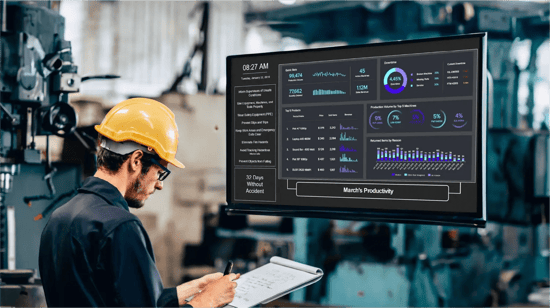
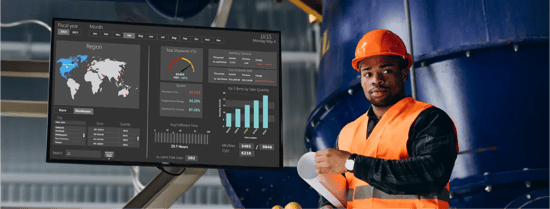
Walk into almost any plant floor these days, and you'll find a notice board. Usually it's near the entrance to the production area. There's a shift update from two days ago, a safety reminder that's been posted since January, and a quality target nobody's touched since the last supervisor rotation.
It's not that anyone is being careless. Paper is just what's always been there. But paperless manufacturing is quickly becoming less of a digital upgrade and more of an operational need.
The problem is that paper doesn't scale. When you're running three shifts across four production lines, with safety compliance requirements that change mid-cycle, production targets that move daily, and shift handover notes that need to reach the incoming team in the first 10 minutes, a corkboard and a printer aren't enough.
We've worked with manufacturing and logistics operations across the world who've made this transition. The pattern is consistent: teams that move off paper notice boards and land on paperless manufacturing software get information faster, update it more often, and get supervisors off the printer and back onto the floor. Here's what the transition to digital signage for manufacturing actually looks like.
Why Are Manufacturing Plants Still Running on Paper?
The answer is largely inertia. Paper notice boards have existed in manufacturing for as long as anyone can remember. They're low-cost, easy to understand, and require no technical skill to update. That's also what makes them hard to replace: they work, just not particularly well when the operation grows.
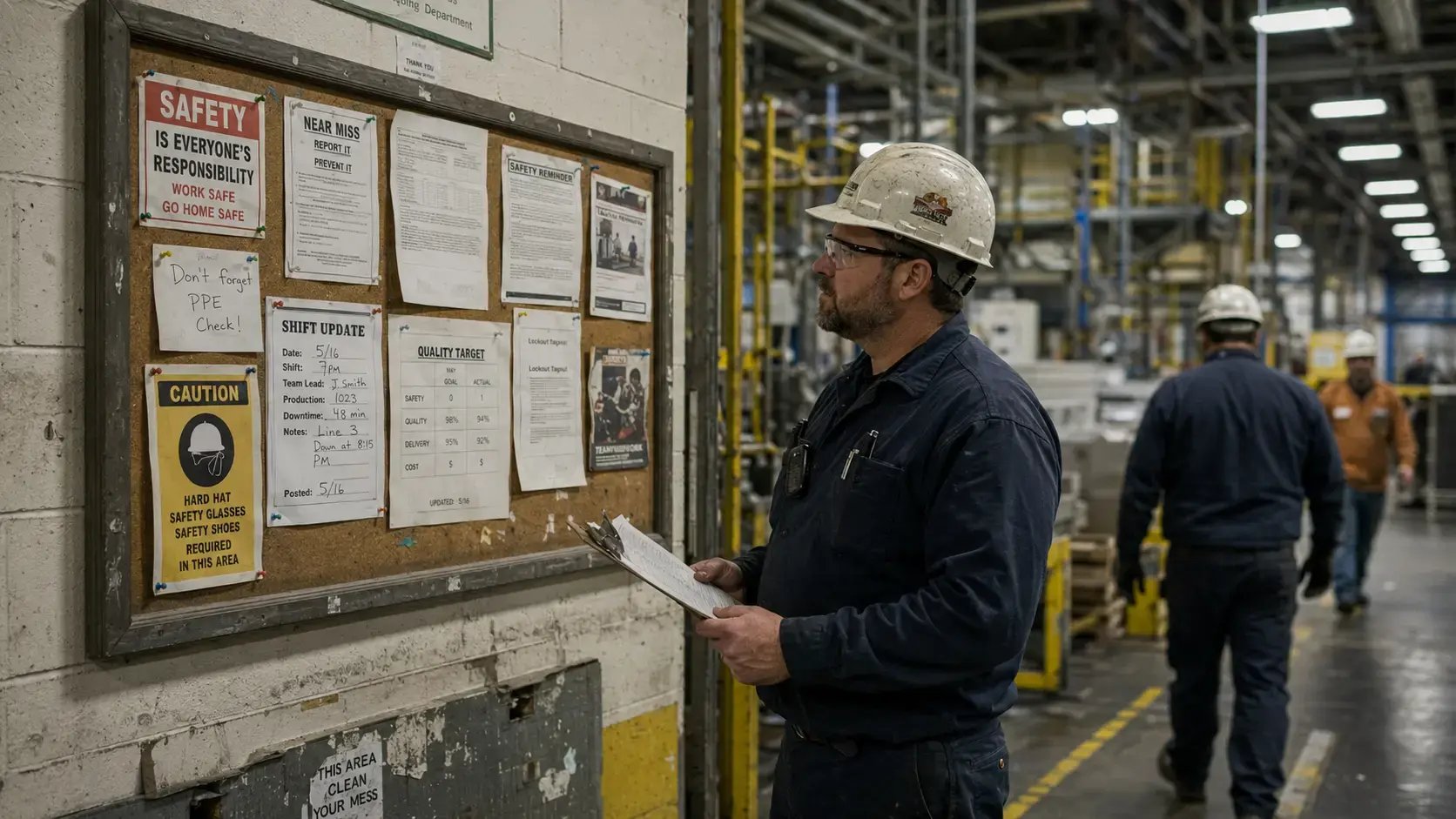
There are three places where paper creates real operational risk:
- Safety communication. OSHA compliance updates, incident counts, and near-miss reports are time-sensitive. A poster updated weekly doesn't reflect what happened yesterday. If your safety message is stale, your team is operating from stale information.
- Shift handovers. Most plants still rely on a handwritten whiteboard or a printed sheet passed between supervisors. The incoming shift has a few minutes to absorb everything that happened in the previous eight hours. When that information is incomplete or out of date, things get missed.
- Production targets. A printed daily output target is already behind the moment it's posted. If the line went down for two hours mid-shift, the target needs to change. Paper can't do that on its own.
What Does "Going Paperless" Actually Mean on a Manufacturing Floor?
It doesn't mean eliminating every sheet of paper from your operation. Quality documentation, regulatory filings, work orders for complex repairs: some of that will stay on paper for a long time, and that's appropriate.
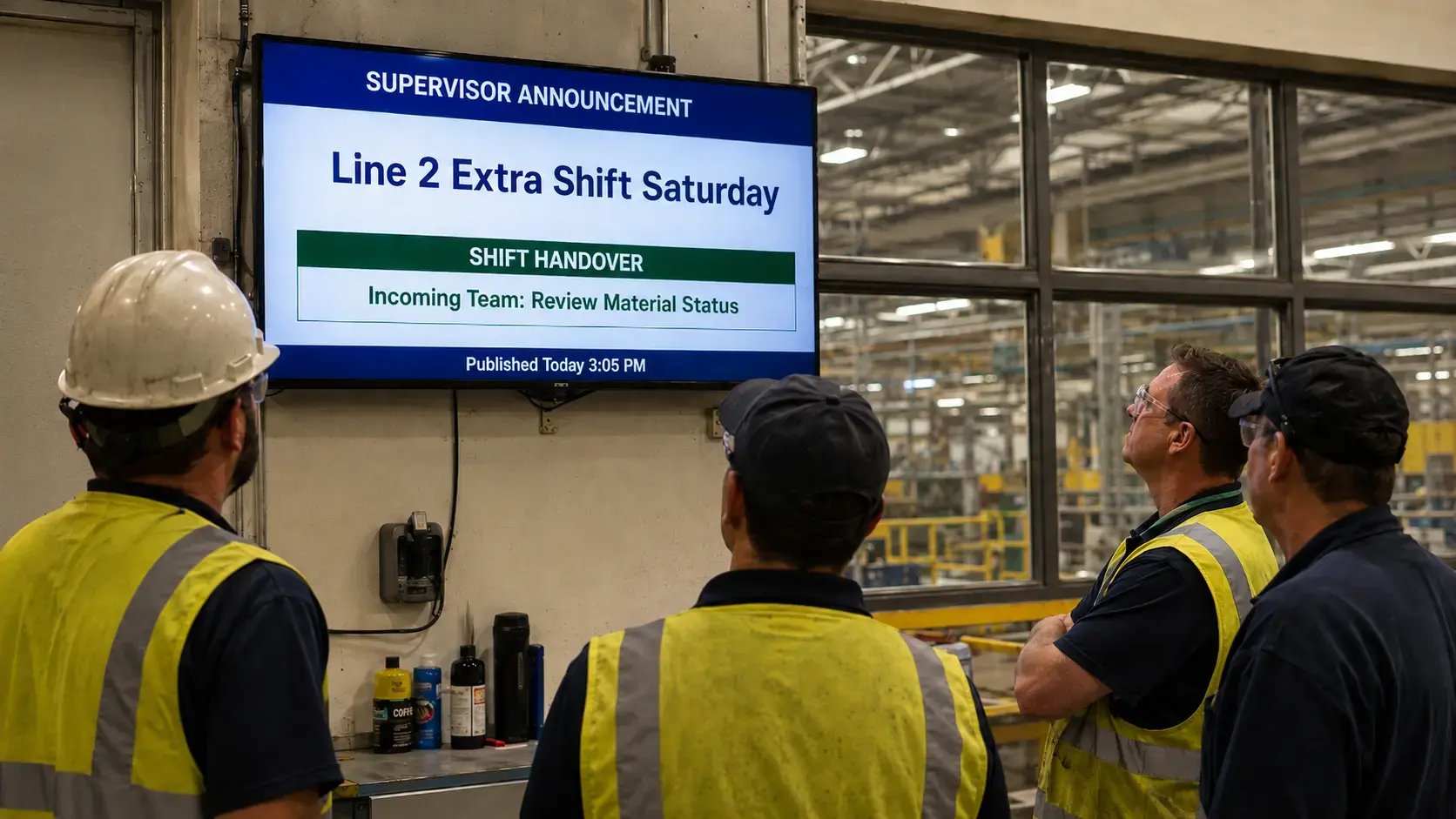
Going paperless in the context of manufacturing communications means replacing the manual, static, print-and-pin information system with a digital signage for manufacturing network. Instead of a notice board that someone updates once a week, you have screens that show live safety data, current production targets, and shift announcements, updated in real time by the right people,
The shift is from "someone printed this at some point" to "this is accurate right now."
What Do Digital Boards Replace? Paper vs. Digital on the Shop Floor
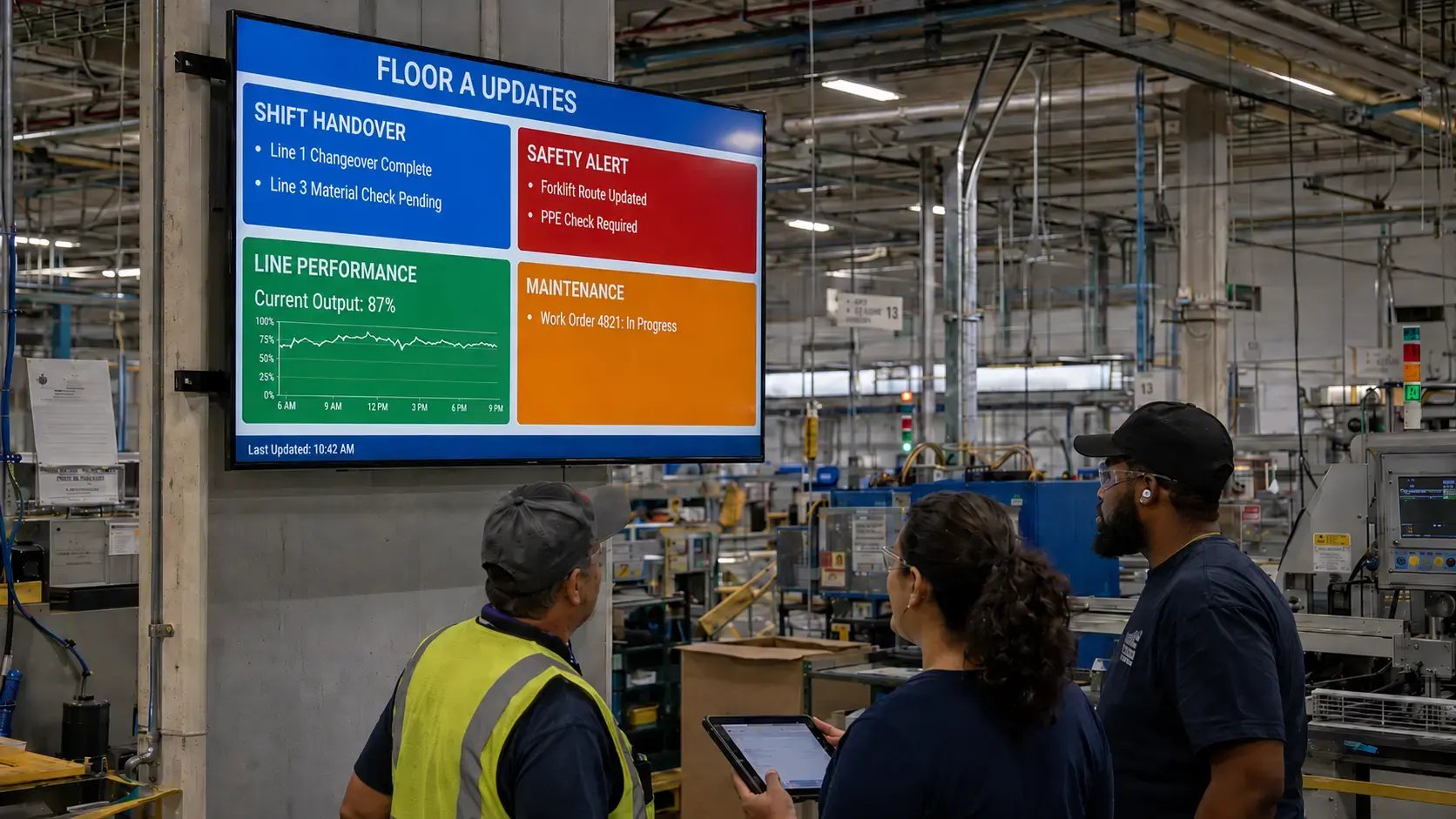
Here's a direct comparison of the most common paper touchpoints in manufacturing and what replaces each one:
|
Paper touchpoint |
Digital board equivalent |
Key advantage |
|
Shift handover whiteboard |
Live shift summary screen with digital notice board manufacturing |
Current at all times, no manual update needed between shifts |
|
Safety reminder poster |
Dynamic safety alert zone |
Updated instantly across all screens when an incident or compliance change occurs |
|
Production target corkboard |
Real-time OEE display |
Pulls live data from your ERP or MES; no printing and re-posting |
|
Quality reject tally sheet |
Quality metric dashboard |
Visible to the full production line, not just the supervisor station |
|
HR and policy notice board |
Managed announcement screen |
Published centrally with timestamps; archived automatically |
|
Maintenance schedule printout |
Digital work order display |
Integrated with your CMS; visible on-screen without anyone hunting for the sheet |
The common thread: digital signage for manufacturing requires fewer people to maintain, shows more accurate information, and reaches more of the floor at once.
How Do Manufacturing Plants Go Paperless? Paperless manufacturing steps
Going paperless in manufacturing doesn't happen in a day, and it shouldn't. The operations that do this well sequence it deliberately. Here's the approach we've seen work consistently:
-
Step 1: Audit your current paper touchpoints. Walk the floor and list every place where information is communicated on paper: notice boards, whiteboards, printed shift sheets, supervisor clipboards, corkboards. Note what each one contains, how often it's updated, and who owns the update.
-
Step 2: Map each paper item to a digital content type. Safety alerts become a dedicated screen zone managed by your safety team. Production targets come from an ERP data feed. Shift announcements are managed through a CMS by supervisors. Knowing the content type tells you what integrations and access permissions you'll need before you select any software.
-
Step 3: Choose a CMS that fits your integration requirements. This is where most teams move too fast. Your manufacturing digital signage CMS needs to connect to the data sources where your operational information actually lives: your ERP, your MES, your HRIS. A platform that can't pull live data will just become a digital version of the same static poster problem. Pick software first. Spec hardware second.
-
Step 4: Pilot one zone, one content type. Don't try to launch everything at once. Start with the highest-impact item, usually the shift handover board or the safety alert zone. Get that stable and working before adding the next content type.
-
Step 5: Train floor supervisors before go-live. The transition breaks down when supervisors don't know how to publish updates. A non-technical content workflow is non-negotiable. Your safety manager should be able to push a safety update in under 60 seconds, without design software and without an IT ticket.
-
Step 6: Expand zone by zone. Once one zone is stable, add the next. Production metrics, quality dashboards, HR announcements. Each zone gets its own pilot period before it's considered fully live.
The full transition at a single facility typically takes four to eight weeks from kickoff to steady-state, depending on integration complexity and the number of content zones being activated.
What Changes After the Switch?
The operational differences are more specific than most teams expect.
Supervisors spend less time at the printer. That sounds minor, but a supervisor who prints and posts a daily update across four stations is spending meaningful time on something a CMS can handle automatically, every shift, without anyone touching it.
Safety compliance becomes easier to document. When every safety alert is published through a managed system with timestamps and an audit trail, you have a record. A paper board doesn't give you that.
Shift handovers get faster. When the incoming team can see the last eight hours of production data on a screen before the supervisor briefing even starts, the handover conversation is shorter and more focused.
And information is current. That's the foundational change. A plant running on digital signage for manufacturing is a plant where the people on the floor have the same data as the people in the control room.
How CHEP moved off paper communication across their multi-facility network → Read the full story.
L Squared: 20+ Years of Digital Signage Solutions for Manufacturing Plants.
We've helped manufacturing and warehousing operations, including CHEP, move off paper communication systems across multi-facility networks. If your team is evaluating what this transition looks like in practice, a 30-minute call with our team will tell you whether our digital signage for manufacturing platform fits what you're building.

Frequently Asked Questions
How to go paperless in manufacturing?
The most practical approach is to audit every paper-based communication point on the floor, map each one to a digital content type, and deploy a digital signage for manufacturing network connected to existing data sources. The transition works best when phased: one content zone at a time, starting with the highest-impact item, usually safety alerts or the shift handover board.
What replaces paper notice boards in manufacturing?
Managed digital display boards replace paper notice boards in the factory. Each screen zone handles a different content type: safety alerts, real-time production targets from the ERP, shift announcements, quality metrics, or HR updates. Content is published centrally by authorized users, so information stays current without anyone printing, walking the floor, and manually pinning a new sheet.
How long does it take to go paperless in a manufacturing plant?
A single-facility transition typically runs four to eight weeks from kickoff to steady-state. The variables are integration complexity, number of content zones, and supervisor training readiness. Multi-facility rollouts are phased across sites. ERP or MES integration is usually the longest lead-time item and should be scoped in the first conversation with any vendor.
Can digital display boards connect to manufacturing systems like SAP or an MES?
Yes, if the manufacturing digital signage CMS has the API capabilities. Enterprise-grade platforms with open API frameworks integrate with SAP, Oracle, Infor, and most major ERP and MES systems, allowing production targets and quality metrics to display as live data. Confirm the integration path and expected implementation effort with any vendor before selecting a platform.
What are the main benefits of going paperless in manufacturing?
The main benefits: information accuracy (screens show current data, not last week's printout), faster updates (safety or production changes reach all screens within minutes), reduced supervisor overhead, compliance documentation (digital publishing creates an audit trail paper boards don't), and shift consistency (every shift sees the same information at the same time).

Brent Nacu
CRO at L Squared Digital
Brent Nacu is the Chief Revenue Officer at L Squared Digital, with 20+ years in digital signage. He helps organizations build display strategies that improve engagement, streamline operations, and drive real results.
LinkedIn