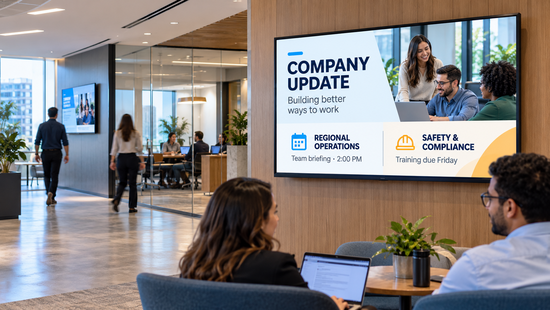
At 9:14 on a Monday, the CEO's quarterly update lands in every inbox in the company. By lunch, the open rate looks healthy. The people on the warehouse floor, the contact center, and the lab never saw it, because they do not sit in front of an inbox all day. Meanwhile, the screen in the main lobby is still showing last quarter's numbers, because nobody is sure who owns it.
Email is not broken. It is the right channel for detail, policy, and anything someone needs to find again. It is the wrong channel for the message that has to reach everyone in the building today, including the people who never open it.
That gap is what corporate digital signage is for. This guide covers what it is, where it earns its place in an office or across a multi-site company, who should own it, what IT will ask before approving it, and how to roll it out without creating another channel nobody maintains.
Quick Takeaway
- What it is: screens across offices, plants, and common areas, managed from one central platform, used to share company news, live data, recognition, and alerts.
- Why it works: it reaches people where they already are, including employees without a company inbox.
- Where it fits: lobbies, breakrooms, elevator banks, meeting rooms, shop floors, and contact centers.
- What decides success: a named content owner, integration with the tools you already use, and permissions that let local sites post without breaking brand rules.
- What IT needs to see: SOC 2 Type II and ISO 27001 evidence, single sign-on, role-based access, and locked-down devices.
What Is Corporate Digital Signage?
Corporate digital signage is a network of screens inside a company's offices, plants, and shared spaces that displays internal content such as company news, leadership messages, KPIs, recognition, meeting room schedules, and emergency alerts. All of the screens are managed from one cloud-based platform, so a communications team can update one screen or every screen across every site from a single dashboard.
It is not a TV with a slideshow on a USB stick. It is a distribution channel, with an owner, a schedule, and rules for who can publish what. The difference matters, because a screen that nobody owns turns into an expensive clock within a quarter.
Why Email and the Intranet Miss Half the Building
Most internal communications strategies are built for people who sit at a desk. The intranet assumes someone will go looking. Email assumes someone will open it, and then read past the subject line. Both assumptions hold for part of the workforce and fail for the rest.
The people they fail are predictable. Warehouse and production staff, retail and branch employees, drivers, technicians, and contact center agents often have no corporate inbox, or no time to check one during a shift. For these teams, a screen in the breakroom or above the line is not a nice extra. It is the only company channel they see every day. We cover this group in depth in our guide to internal communication for deskless workers.
Desk-based staff are not fully reached either. They receive more messages than they can read, so they filter. A screen in the elevator bank or the kitchen does not compete with the inbox. It catches people in the minutes between tasks, which is exactly when a short message lands.
Corporate Digital Signage vs. Email, Intranet, and Team Chat
Each internal channel has a job. Digital signage does not replace the others; it covers the gap they leave.
| Channel | Reaches employees without a desk | Best for | How long a message lasts | Who has to act |
|---|---|---|---|---|
| Rarely | Detail, policy, anything people need to find again | Until it is buried by newer mail | The reader has to open it | |
| Intranet | Rarely | Reference content, documents, HR resources | Long, but only if someone goes looking | The reader has to search for it |
| Teams or Slack | Sometimes, on mobile | Fast team conversations and quick questions | Minutes, then it scrolls away | The reader has to be in the channel |
| Corporate digital signage | Yes, on the floor, in breakrooms and common areas | Company-wide news, live KPIs, recognition, alerts | As long as you schedule it | Nobody; the message is where people already are |
8 Ways Companies Use Corporate Digital Signage
The best corporate networks run a handful of these use cases well rather than all of them at once. Start with the two or three that solve a problem someone is already complaining about.
1. Company News and Leadership Messages
Quarterly results, strategy updates, policy changes, and short video messages from leadership, shown on every screen in the company at the same time. This is the core of digital signage for internal communications: one message, one version, everywhere, without depending on who opened which email.
2. Live KPIs and Business Dashboards
Sales targets, service levels, production output, safety days, and ticket queues, pulled live from Microsoft Power BI, Excel, or other business systems. When a number is visible to the whole team, people align around it without a meeting. The rule that keeps it credible: if the data is not live, do not put it on a screen.
3. Recognition and Milestones
Work anniversaries, promotions, project wins, and customer praise, shown where colleagues will actually see them. Recognition on a shared screen does something an email cannot: it makes appreciation public. See how this works in practice in our post on raising employee morale with digital signage.
4. Meeting Room Booking and Space Signs
Digital meeting room placards outside each room show who has it, for how long, and when it is free, pulled from the booking calendar. They end the knock-and-apologize routine and stop rooms sitting empty after a no-show.
5. Visitor Welcome, Lobbies, and Wayfinding
Lobby screens welcome visitors, show the day's events, and direct guests to the right floor. Directory and wayfinding screens on large campuses reduce questions at the front desk. They are also where corporate branding with digital signage is most visible to customers and candidates.
6. Breakroom TV and On-Demand Training
A breakroom TV mixes news, weather, and announcements with short training clips and benefits reminders. L Squared's Content on Demand feature lets employees browse in-house videos from a Netflix-style library, which turns ten idle minutes into a short training session.
7. Emergency Alerts and Safety Messages
When something goes wrong, scheduled content can be replaced immediately with evacuation routes, severe weather warnings, or lockdown instructions. With screens tagged by building or floor, an alert can go to the affected site only, which avoids alarming people who are not at risk.
8. Town Halls and Live Events
Screens across offices can stream a town hall or company event live through Microsoft Teams or Zoom, so employees on the floor or in a branch watch the same broadcast as the people in the headquarters auditorium.
In practice: logistics company CHEP uses L Squared to run a centralized digital signage network across seven countries, pushing safety information and company news directly to warehouse floors instead of relying on email.
Planning screens for more than one office or site? See how L Squared handles central control with local flexibility.
Talk to L SquaredWho Should Own Corporate Digital Signage?
Ownership decides whether a screen network stays useful. Most networks that fail do not fail on hardware. They fail because nobody is responsible for what is on the screen next month.
The model that works in most companies splits the job three ways:
- Internal communications or HR owns the content: the calendar, the templates, the brand rules, and the decision about what deserves screen time.
- IT owns the platform: security review, single sign-on, device management, and integrations.
- Local sites own their corner of the screen: shift notices, local events, and site KPIs, inside the templates corporate has set.
The software has to support that split. Role-based access control lets a plant manager in Ohio edit the local zone of the screen without touching the company message above it. If updating a screen requires a ticket to IT, internal comms will update it twice a year, and employees will learn to stop looking. Our enterprise communications playbook goes deeper on content planning for large organizations.
What IT Will Ask Before Approving It
A screen network is a fleet of connected devices on the corporate network, so IT will treat it like one. Expect these questions, and choose a platform that can answer them in writing:
- Audit evidence: a current SOC 2 Type II report and ISO 27001 certificate.
- Access control: single sign-on through your identity provider, multi-factor authentication, and role-based permissions.
- Device lockdown: disabled USB ports, controlled Wi-Fi and network settings, and certificate deployment on private networks.
- Data handling: encryption in transit and at rest, and where content and logs are stored.
- Testing: how often an independent firm runs penetration tests.
- Support: who answers when a screen fails, and whether that support is included or sold as an upgrade.
For reference, L Squared is ISO 27001:2022 and SOC 2 Type II certified, encrypts data with AES-256, runs third-party penetration tests twice a year, and supports SSO, MFA, and RBAC on its platform. For a side-by-side view of how platforms handle access control, see our comparison of digital signage platforms with SSO and MFA.
How to Roll Out Corporate Digital Signage
A rollout that starts with hardware usually ends with screens showing the default weather widget. Start with the message instead.
- Pick three moments that matter. For example, the weekly leadership update, live service levels in the contact center, and safety alerts. Everything else can wait.
- Map the locations. Put screens where people pause: breakrooms, elevator banks, entrances, cafeterias, and production floors. Avoid hallways where people are walking fast.
- Name the owners. One content owner per site and one platform owner in IT, written down before the first screen goes up.
- Connect the sources. Link Microsoft 365, SharePoint, Teams, Power BI, or Google Workspace so content updates automatically instead of being rebuilt by hand.
- Pilot one site for 30 days. Watch what people mention, what goes stale, and how long updates take. Fix the process before scaling.
- Scale with templates. Lock the brand zones, open the local zones, and add sites in waves.
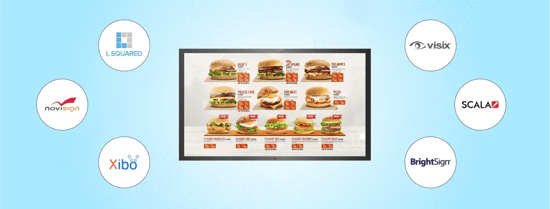
Most offices can reuse displays they already own. L Squared runs on Samsung Tizen, LG webOS, Android, BrightSign, ChromeOS, Windows, and Amazon Signage Stick and Fire TV Stick devices, as well as its own LP5 media player. For the full picture of digital signage for employee communication, including hardware and services, see our solution page.
How to Choose Corporate Digital Signage Software
Feature lists in this category look alike. The differences show up in four places:
- Integrations you already use: if the platform cannot pull from Microsoft 365, SharePoint, Teams, and Power BI, someone will be copying content by hand forever.
- Permissions that match your org chart: corporate, regional, and site roles, so local teams can publish without breaking brand rules.
- Security your IT team can sign off on: audit reports, SSO, and device controls, available in writing before procurement.
- Support on every shift: live human support included on your plan, not reserved for the top tier.
If your company already runs a workplace suite for desk booking and the intranet, adding that suite's digital signage module can make sense when the office is the only priority. If screens also need to reach plants, branches, or stores, a dedicated digital signage platform usually fits better. For a side-by-side look at seven platforms, see our comparison of the best corporate digital signage software for offices. Our guide to choosing a digital signage vendor for corporate projects includes the questions to ask every vendor.
Frequently Asked Questions
What is corporate digital signage?
Corporate digital signage is a network of screens in a company's offices, plants, and shared spaces, managed from one central platform. It displays internal content such as company news, leadership messages, live KPIs, recognition, meeting room schedules, and emergency alerts, and lets a communications team update any screen remotely.
How is digital signage used for internal communications?
Digital signage is used for internal communications by placing screens where employees pause, such as breakrooms, elevator banks, and production floors, and showing short, timely messages: company news, policy reminders, live performance data, and alerts. It reaches employees who do not have or do not check a company inbox.
Do employees actually pay attention to digital signage?
Employees pay attention when the content is current, short, and relevant to them, such as their team's numbers, local news, or recognition of colleagues. Attention drops quickly when screens repeat stale content, so a named content owner and live data sources matter more than screen size or placement.
Can corporate digital signage integrate with Microsoft Teams, SharePoint, and Power BI?
Yes. Corporate digital signage platforms such as L Squared connect to Microsoft Power BI, Teams, SharePoint, Microsoft 365, PowerPoint, Excel, and Google Workspace, so dashboards, news, and documents update on screens automatically. Teams and Zoom can also stream town halls and live events to every screen.
How does digital signage support corporate social responsibility?
Digital signage supports corporate social responsibility by making commitments visible where employees and visitors see them every day: sustainability goals and progress, volunteering and giving campaigns, wellbeing programs, and community partnerships. Visible progress keeps programs active long after the launch email is forgotten.
How much does corporate digital signage cost?
Corporate digital signage costs a monthly software fee per screen plus one-time hardware. L Squared Professional is $15 per screen per month, and Enterprise plans with SSO and proactive monitoring are priced by quote. Hardware includes the display, a media player if the screen does not have one built in, mounting, and installation.
The Bottom Line
Corporate digital signage does not replace email or the intranet. It covers the part of the company they were never going to reach, and the moments when a message has to be seen today, not filed for later. Start with three messages that matter, give the network an owner, and connect it to the tools your teams already use. For enterprise-scale requirements, see L Squared for enterprise.
Organizations including Unilever, Intel, TELUS, and Canada Post run on L Squared, with 24/7/365 live support agents on every plan.
Talk to L Squared